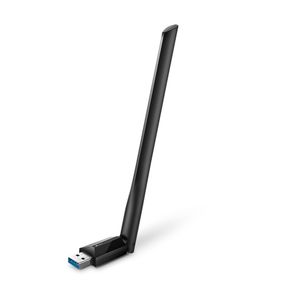
#
きっかけ
#
セットアップ手順
#
Secure boot
- デフォルトでドライバはないため、ソースからコンパイルする必要がある
- 署名を入れないとドライバーがロードできない
- 署名の方法を探すのが面倒なので、BIOS から Secure boot を無効化する
#
デバイスを接続
- 理論値 866Mbps。USB 2だと不足なのでUSB 3ポートに接続する
| device |
Mb/s |
MB/s |
| Archer T3U Plus |
866 |
108 |
| USB 2 |
480 |
60 |
| USB 3 |
5,000 |
625 |
| WD60EZAZ-RT |
1,520 |
190 |
#
ドライバーインストール
 1
 2
 3
 4
 5
 6
 7
 8
 9
10
11
12
13
14
15
16
17
18
19
20
21
22
23
24
25
26
|
# デバイスが接続されているか
lsusb

# カーネルが更新された際に追従できるように dkms でドライバーをインストールする
sudo apt install dkms

# ドライバーをダウンロード
sudo git clone "https://github.com/RinCat/RTL88x2BU-Linux-Driver.git" /usr/src/rtl88x2bu-git

# 設定変更
sudo sed -i 's/PACKAGE_VERSION="@PKGVER@"/PACKAGE_VERSION="git"/g' /usr/src/rtl88x2bu-git/dkms.conf

# dkmsに追加
sudo dkms add -m rtl88x2bu -v git

# インストール
sudo dkms autoinstall

# USB3.0 を使用する
sudo vim /etc/modprobe.d/99-RTL88x2BU.conf
options 88x2bu rtw_switch_usb_mode=1

reboot

# ドライバーがロードされているか確認
lsmod | grep 88x2bu
|
#
WiFi設定
sudo vim /etc/netplan/00-installer-config.yaml
 1
 2
 3
 4
 5
 6
 7
 8
 9
10
11
12
13
14
15
16
17
18
19
20
21
22
23
24
25
26
27
28
29
30
31
32
33
|
# This is the network config written by 'subiquity'
network:
  ethernets:
    enp1s0:
      # 起動時に接続をチェックし続けないために追記
      optional: true
      addresses:
      - 192.168.0.201/24
      nameservers:
        addresses:
        - 8.8.8.8
        search: []
          # wifiをデフォルトにするためコメントアウト
          #routes:
          #- to: default
          #via: 192.168.0.1
  wifis:
    wlx98254a1683ed:
      # 起動時に接続をチェックし続けないために追記
      optional: true
      access-points:
        "SSID":
          password: "PASSWORD"
      addresses:
      - 192.168.0.200/24
      nameservers:
        addresses:
        - 8.8.8.8
        search: []
      routes:
      - to: default
        via: 192.168.0.1
  version: 2
|
1
2
|
# 設定を反映
sudo netplan apply
|
#
実測
| device |
Mb/s |
MB/s |
| 理論値 |
866 |
108 |
| 実測値 |
135 |
15 |
| ブリッジモード |
576 |
64 |
- サーバ -> Windows PC にデータコピー
- samba経由。データはHDDに格納されたもので計測
- とても遅い
- 理論値は7.2倍, ブリッジモードは4.2倍速い
#
なぜ遅いか
1
2
3
4
5
6
7
8
9
|
sh@home1:~$ iwconfig wlx98254a1683ed
wlx98254a1683ed  IEEE 802.11AC  ESSID:"ctc-5g-41f04e"  Nickname:"<WIFI@REALTEK>"
          Mode:Managed  Frequency:5.18 GHz  Access Point: 18:C2:BF:58:F2:14
          Bit Rate:867 Mb/s   Sensitivity:0/0
          Retry:off   RTS thr:off   Fragment thr:off
          Power Management:off
          Link Quality=93/100  Signal level=51/100  Noise level=0/100
          Rx invalid nwid:0  Rx invalid crypt:0  Rx invalid frag:0
          Tx excessive retries:0  Invalid misc:0   Missed beacon:0
|
- Signal level=51/100 が気になる
- 電波が弱いのだろうか
- 信号が弱いtopic
- Windowsで発生しないとなると、ハードウェアの問題ではなさそう
#
まとめ
- ブリッジモードに戻す
- さすがに変更前の24%しか速度が出ないのは許容できない
- Linux環境下でのWiFiの安定にはまだ時間がかかりそう
- ブリッジモードが安牌
#
売るタイミング
- Ubuntu 24.04 が出て、Dockerインストールがサポートとされたら再度試してみる
- ドライバーがサポートされているはず